
Tixly
A Flutter app for browsing what is showing, opening a movie, and booking a seat — with the tickets saved on the device and collected on a “My Tickets” screen.
Background
A cinema ticket carries a lot of small details: the movie, the seat, the date and time, the location, and who booked it. Spread across chat messages and screenshots, those details are easy to lose. Tixly keeps the whole flow in one app — choose a film, fill in the booking, and have the ticket waiting in a dedicated tab.
Process
Screens and navigation
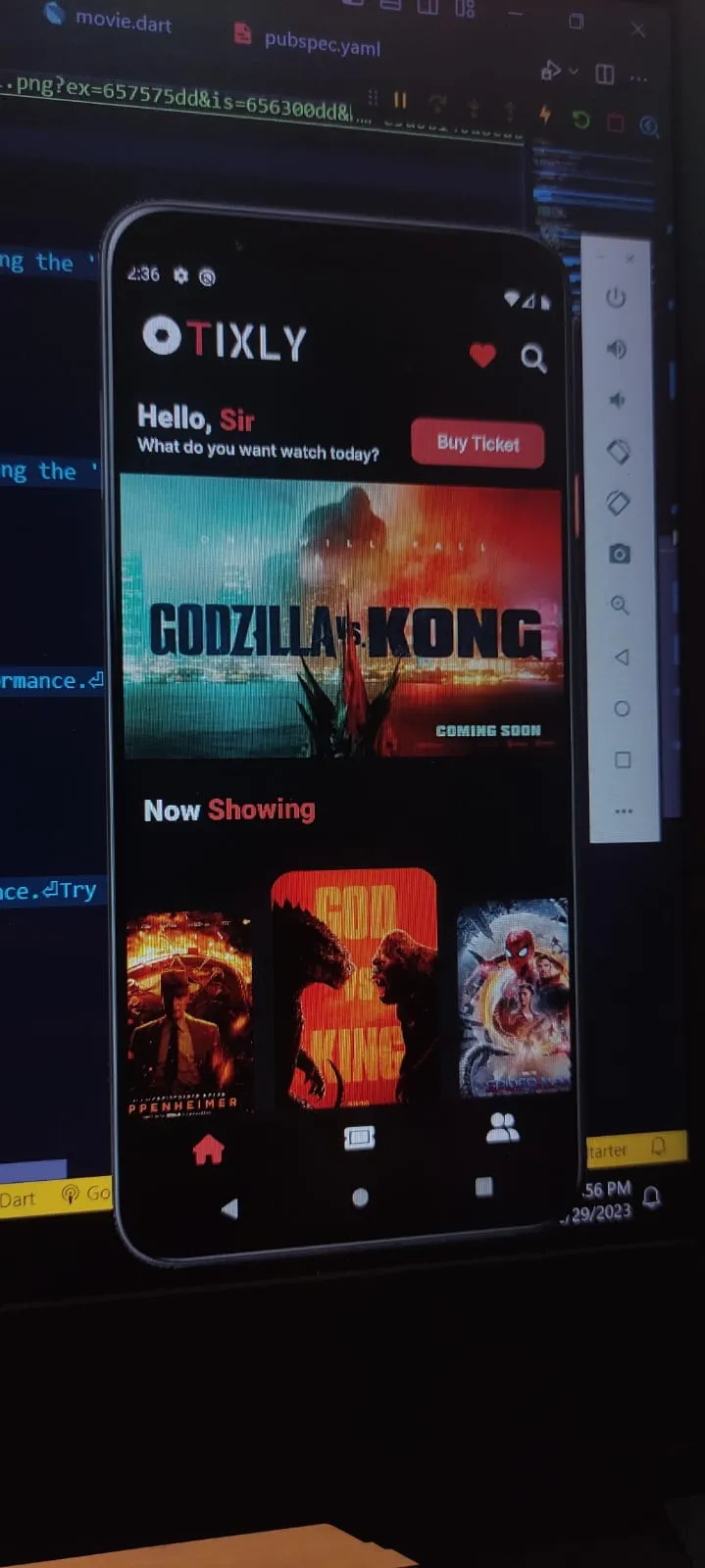
Built a dark-themed shell with an animated bottom bar and three destinations: a home page with a movie carousel and a catalog, a booking page for saved tickets, and a credits page. Each movie opens its own detail screen with a poster, genre, rating, and synopsis.
Booking flow
Added a form that captures the customer name and phone number along with the movie, seat number, ticket count, date, time, and location, then hands the completed record to the ticket list.
Local ticket storage
Serialized each booking to JSON and stored the list in SharedPreferences, so My Tickets survives closing the app. On launch, the page decodes the stored strings back into ticket objects and renders them as ticket-shaped cards.
Visual system
Set a single dark background across screens, bundled the Inter Tight family for custom typography, and used ticket widgets, cached network images, and a carousel to make a small app feel finished.
Gallery
Key Features
Movie carousel and catalog
The home screen leads with a sliding carousel of featured films and lists the rest underneath, each card opening the movie detail page.
Movie detail page
Shows a full-width poster, the title, genre and rating, and a synopsis, with the navigation kept transparent so the artwork stays the focus.
Complete booking form
Captures the customer, phone number, movie, seat number, number of tickets, date, time, and location in one pass before the ticket is saved.
Tickets that persist
Bookings are JSON-encoded into SharedPreferences and decoded on launch, so the ticket list is still there after the app is closed.
Ticket-styled list
Saved bookings are presented as perforated ticket cards instead of plain rows, with the movie, seat, schedule, and location grouped on each card.
Custom dark theme
One background color across all screens, bundled Inter Tight typography, Font Awesome icons, and an animated bottom navigation bar.
Tixly runs the booking flow end to end on the device: browse the catalog, open a film, submit the booking details, and find the ticket in My Tickets after restarting the app. Movie data is bundled with the app and tickets live in local storage, so the project needs no backend while still keeping a complete record of each booking.